Summary: The stable ColorOS 17 update is rolling out in India for the OnePlus 15 and the Oppo Find X9 series, arriving 6 days ahead of its planned schedule. The update brings a redesigned interface, a reworked Control Centre, and new AI-powered call features.
OnePlus 15 and Oppo Find X9 series users got an early surprise today, as Oppo has started rolling out ColorOS 17 stable update for these devices ahead of their initially planned launch. The update arrives 6 days earlier than its original end-of-October target, bringing a new interface design, a reworked Control Centre, and AI upgrades to the Phone app.
What’s New in ColorOS 17
The update is live for the OnePlus 15, Find X9, Find X9 Pro, Find X9 Ultra, and Find X9s. On the design side, ColorOS 17 brings a Liquid Glass-style “Living Flow” look with smoother animations and a more consistent interface. The Control Centre now uses circular toggles, redesigned buttons, and a new media player.
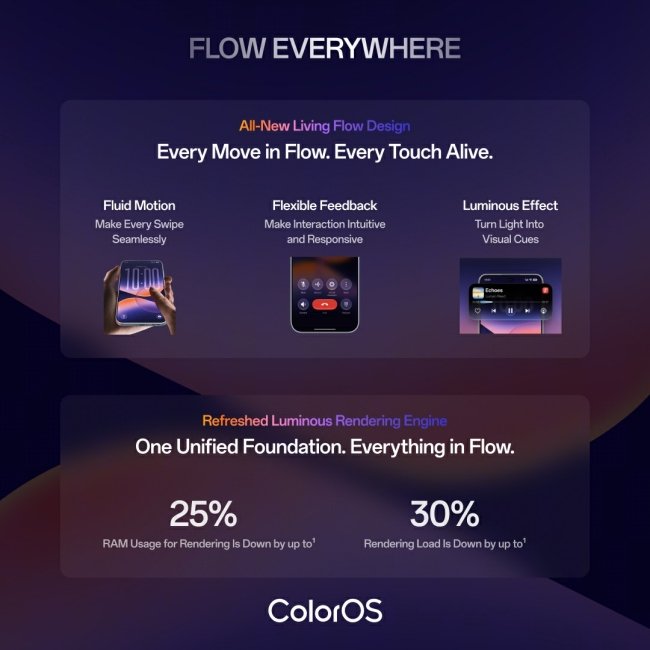
The lock screen and home screen also pick up fresh clock styles, updated widgets, and a Live Lyrics display. There’s a software upgrade for the Phone app too, with a new AI Call Assistant and an AI Call Anti-Fraud tool built in.
Oppo and OnePlus are also promising a big performance boost through the new Luminous Rendering Engine in ColorOS 17. Compared to ColorOS 16, they claim around 25% lower memory use and 55% better background app retention. Scrolling and loading should feel up to 50% faster, and app switching about 15% quicker.
Update Size and Availability
The download size depends on where users are updating from. Those on the beta track only need a smaller patch of about 500 MB, while anyone coming straight from ColorOS 16 will need to download a bigger 3.4 GB package.
To check for it, head to Settings > System and update > Software update. If the notification has not shown up yet, users can force it by opening the Software Update menu, tapping the 3-dot icon, and selecting Release candidate. That said, waiting for the standard stable rollout is the safer bet.